What the Knowledge Base is
Understand what your Knowledge Base holds, how its files are organized, and what uses that context today.
The Knowledge Base is where you describe your business in a form unpitch can use. It holds what you sell, who it is for, what buyers compare it with, what supports your claims, and how you communicate.
Open Knowledge Base from the left sidebar.
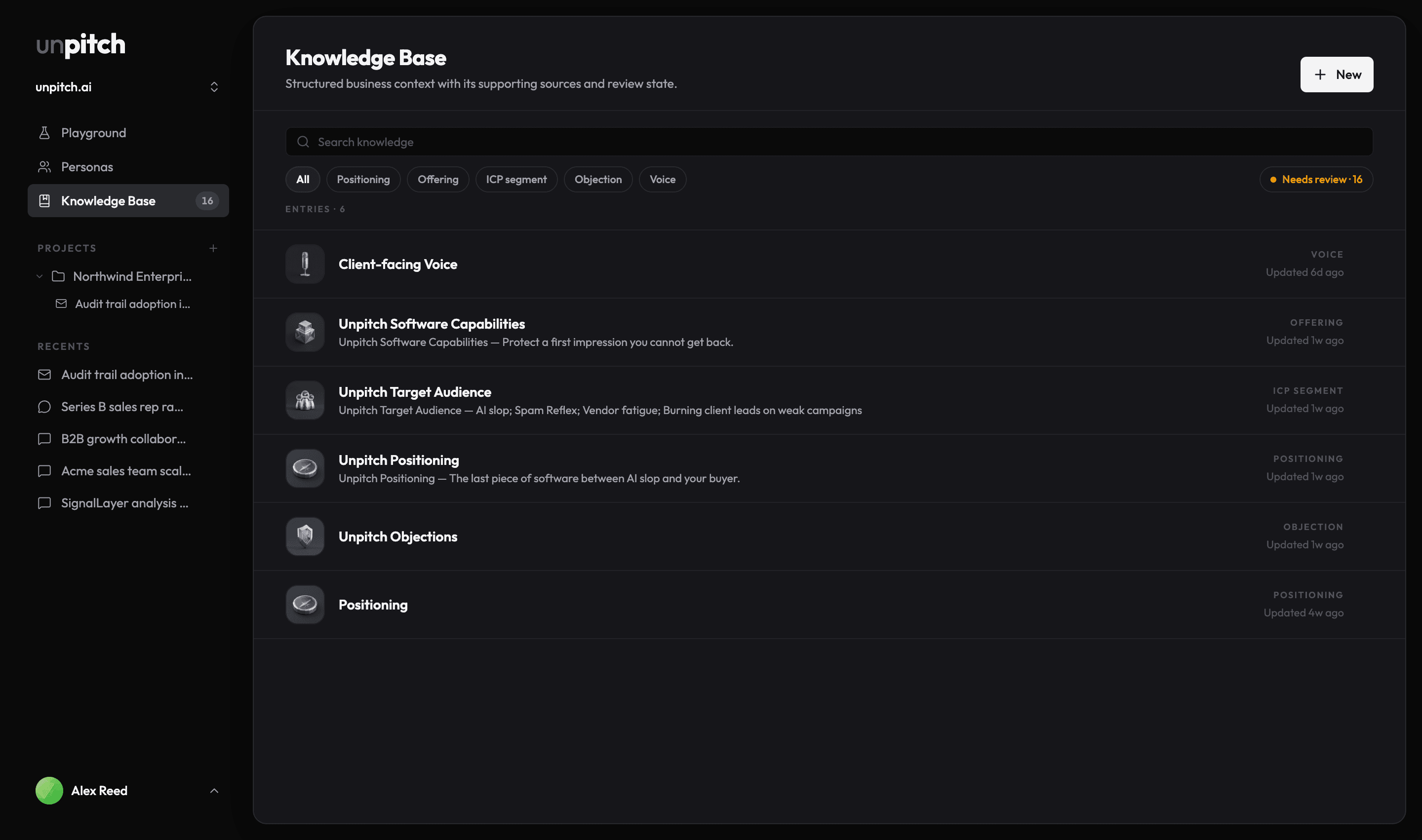
One file per real thing
Each knowledge file describes one real thing: a product, buyer segment, alternative, proof point, objection, or market change. The product calls a buyer segment an ICP segment, short for ideal customer profile.
Files have named fields that keep different kinds of context separate. Add only what you know; empty fields are allowed. You can also attach a source URL and exact excerpt to a field or point, and you can see whether a value still needs review.
The nine types
Choose New to add one of these file types:
| Type | Use it for |
|---|---|
| Positioning | How you frame the choice and your differentiated value |
| Voice | How you sound, including preferred and avoided language |
| Offering | What one product does and does not do |
| ICP segment | One buyer segment, its needs, triggers, and switching forces |
| Alternative | Another choice the buyer could make, including doing nothing |
| Proof | One piece of evidence and the claims it can support |
| Objection | One concern you hear and the response you have validated |
| Market change | A dated change that gives buyers a reason to act now |
| Document | Unstructured material you want to keep and organize later |
A workspace can have only one Positioning file and one Voice file. The other types can have one file per real entity or piece of material. If Positioning or Voice already exists, its card opens the existing file.
What confirming changes
Business research can save values for you, but it cannot decide whether they are true. New findings enter the review queue so you can confirm, correct, answer, or dismiss them.
Review does not block use. Persona creation currently reads non-empty ICP segment values even when they have not been reviewed. Inferred, unreviewed values are passed along as assumptions, so review important ICP context before you build personas from it.
There is no completeness score. A blank field can be the right answer when you do not have useful evidence for it.
What reads it today
The Field guide explains the field you are editing and shows which product areas use that file type. Used by means the connection is live today; Coming means it is planned.
Today, Persona creation is the live consumer of Knowledge Base context, and it reads ICP segment files. The other file types are still useful as a shared record, but they do not yet change a Quality Check or Simulation result.
One Knowledge Base per workspace
Knowledge files and their review count belong to the active workspace. If something appears to be missing, check the workspace switcher first.